

How Clinics Can Use Them to Improve Click-Through Rate
Many advertisers focus mainly on headlines and keywords when running Google Ads search campaigns. However, there is another feature that can make ads stand out in search results: image extensions, also known as image assets.
Image extensions allow advertisers to attach images to search ads. When Google determines the image is relevant, it may display the image next to the ad headline and description.
This gives the ad more visual space and can make it more noticeable compared to text-only ads.
From our experience running Google Ads campaigns for service businesses and clinics, adding image extensions often leads to a clear improvement in click-through rate (CTR) because the ad becomes visually distinct in the search results.
In this article, we explain how Google Ads image extensions work, the requirements you need to follow, and how clinics can use them effectively.
What Are Image Extensions in Google Ads
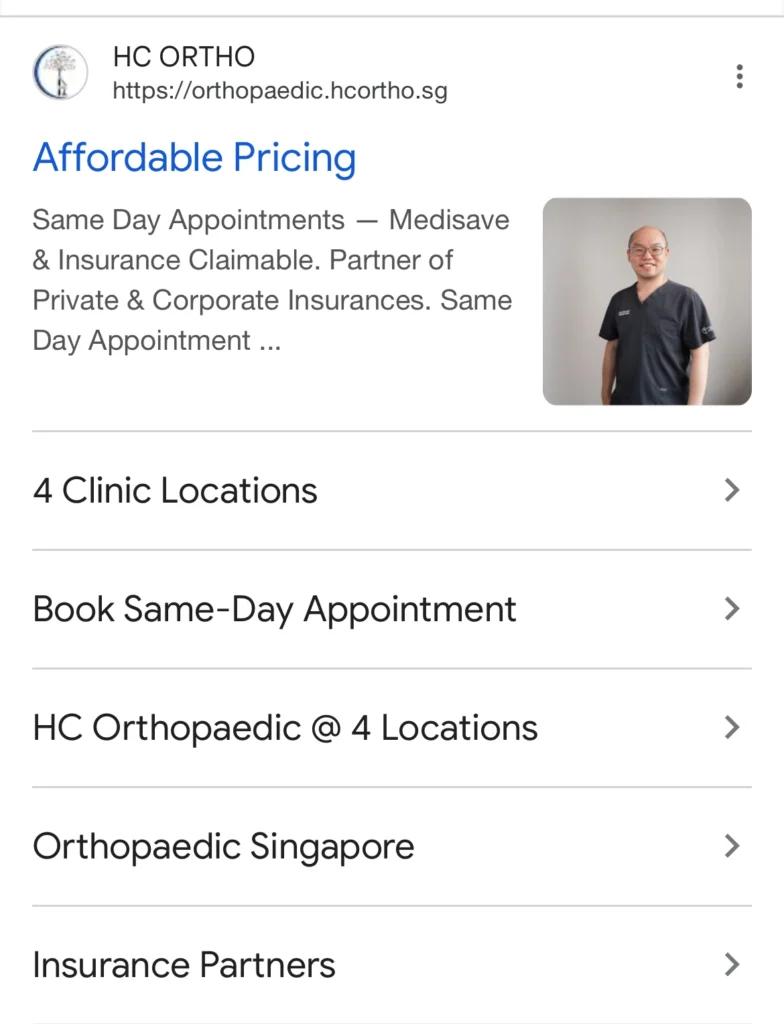
Image extensions are a Google Ads feature that allows advertisers to attach images to responsive search ads.
These images may appear beside or below the ad text when the ad appears in search results.
The goal is simple. Images help users understand the service or brand more quickly while making the ad more visually appealing.
Google automatically decides when image assets appear based on factors such as:
• ad rank
• search relevance
• device type
• predicted performance
When a user clicks the image, they are taken to the same landing page as the main ad.
Where Image Extensions Appear in Google Ads
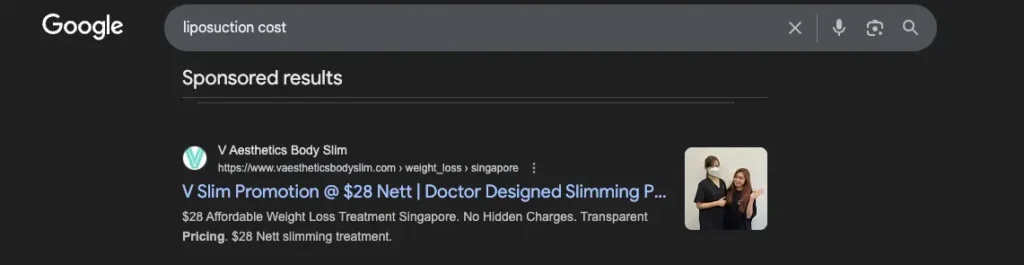
Image extensions typically appear in top search positions, especially on mobile devices.
The image can appear
• next to the headline
• beside the ad description
• as a horizontal image row beneath the ad
Google automatically chooses the format based on the search context.
Because of this, advertisers should upload multiple images so the system has more options to display.
Image Extension Size and Requirements
Google has strict guidelines for image assets to ensure ads remain high quality.
The two recommended formats are the following:
Square images

Aspect ratio: 1:1
Minimum size:
300 × 300 pixels
Recommended size:
1200 × 1200 pixels
Landscape images
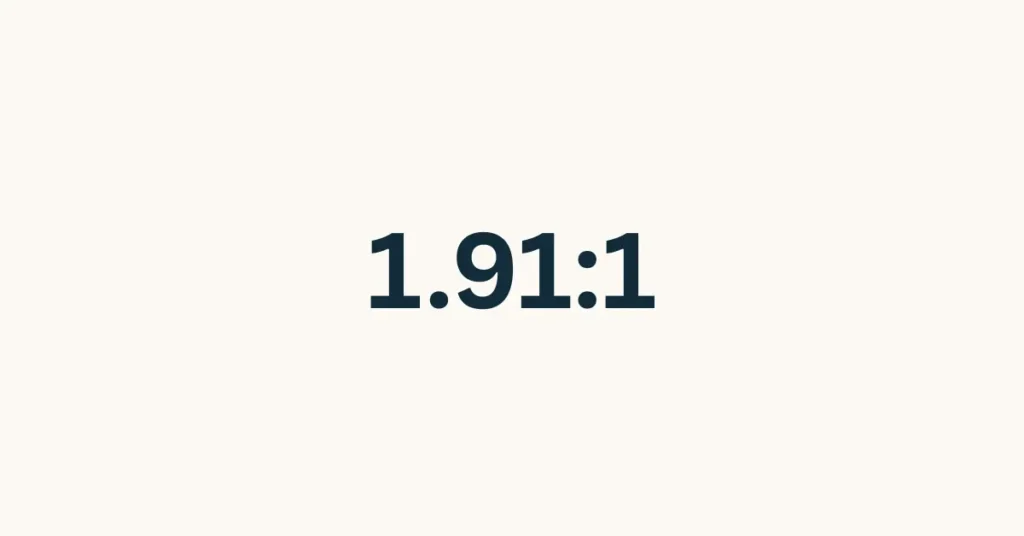
Aspect ratio: 1.91:1
Minimum size:
600 × 314 pixels
Recommended size:
1200 × 628 pixels
File requirements
Accepted file types include:
• JPG
• PNG
Maximum file size:
5120 KB
Images should be high resolution and well lit. Blurry images or low quality stock images should be avoided.
Google may crop images depending on placement, so the most important visual elements should be placed near the center.
Why Image Extensions Can Improve Click-Through Rate
Search ads normally contain only text.
When an image is added, the ad becomes visually larger and more noticeable compared to surrounding ads.
In many campaigns, this can improve click-through rate because
• the ad occupies more visual space
• The brand appears more credible
• users can quickly understand what the business offers
While keywords and ad copy remain the most important factors for performance, image extensions often provide a small but meaningful boost in engagement.
How Clinics Can Use Image Extensions Effectively
Healthcare advertising requires a more careful visual approach than most industries.
Patients searching for clinics often seek trust, professionalism, and credibility.
Because of this, the images used in Google Ads should focus on the clinic environment and medical team rather than procedures.
Some examples that work well include the following.
Doctor photos
Professional photos of the doctor can help build trust with potential patients.
When someone searches for a medical service, seeing the doctor who may treat them creates a sense of credibility.
Reception and waiting area
Images of the reception area help patients visualize the clinic environment.
Clean and welcoming spaces can make a clinic appear more professional.
Staff photos
Friendly staff photos can make the clinic feel more approachable.
These images communicate a positive patient experience.
Clinic exterior
Exterior images help patients recognize the clinic location and brand.
This can be particularly useful for local searches.
Images Clinics Should Avoid Using

Certain types of images should be avoided in Google Ads search campaigns
Zoomed in body part images
For example, if a clinic is advertising liposuction, using a close-up image of someone’s stomach is not recommended.
Zoomed-in body images can feel uncomfortable in search results and may also be restricted by Google’s advertising policies.
Graphic medical visuals
Images showing surgical procedures or medical instruments should not be used.
Search ads should maintain a professional and comfortable appearance.
Overly promotional stock images
Generic stock images often look artificial and can reduce credibility.
Real photos of the clinic are usually more effective.
Best Practices for Google Ads Image Extensions
To get the best results from image extensions, consider the following practices.
Upload multiple images
Google allows advertisers to upload several images. This gives the system more options to test and display.
Use both image ratios
Uploading both square and landscape images improves the chances of the images appearing in search results.
Use professional photography
High-quality images improve brand perception and trust.
Match the image to the ad message
If the ad promotes a consultation service, the image should reflect the clinic environment rather than a medical procedure.
Frequently Asked Questions About Image Extensions
Do image extensions improve click-through rate?
In many campaigns, image extensions can improve click-through rate because they make the ad more visually noticeable in search results.
What size should Google Ads image extensions be
Recommended sizes include: Square image: 1200 × 1200 Landscape image: 1200 × 628 Google also accepts smaller sizes, but higher resolution images usually perform better.
How many image extensions can you upload?
Google allows advertisers to upload multiple image assets. Uploading several images gives the system more options to test and optimize performance.
Final Thoughts
Image extensions are one of the simplest ways to make search ads more visually engaging.
Although they do not replace strong keywords or ad copy, they can help ads stand out and attract more attention in search results.
For clinics, the most effective images tend to focus on the doctor, staff, and clinic environment rather than procedures or body imagery.
By following Google’s guidelines and using professional images, clinics can improve the visual appeal of their search ads and potentially increase engagement with potential patients.